Cursor 环境配置和简单使用
Cursor配置
free trial续杯
Cursor website: https://www.cursor.com
Cursor’s free trial for Pro(Premium models) has limitation for two weeks time and up to 500 request count. Use below steps to get more free-trial.
(1) In Account Setting, Detele wasted account, and re-register account with same email address. Log in Cursor desktop and 500 pro request is supported for more two weeks.
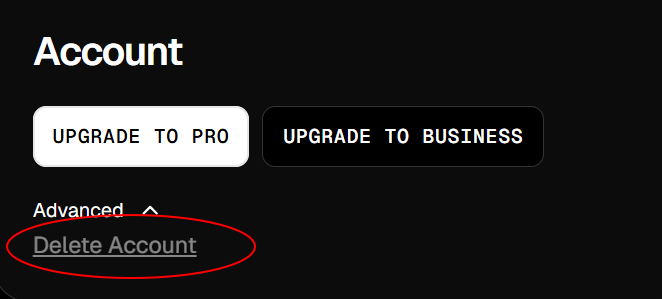
refer to guide: https://www.bilibili.com/video/BV1YAtReqEkH?spm_id_from=333.788.videopod.sections
(2) After several times re-register account, Cursor record your PC’s MAC and refuse to re-register, use below tool to re-fresh MAC.
https://github.com/yuaotian/go-cursor-help
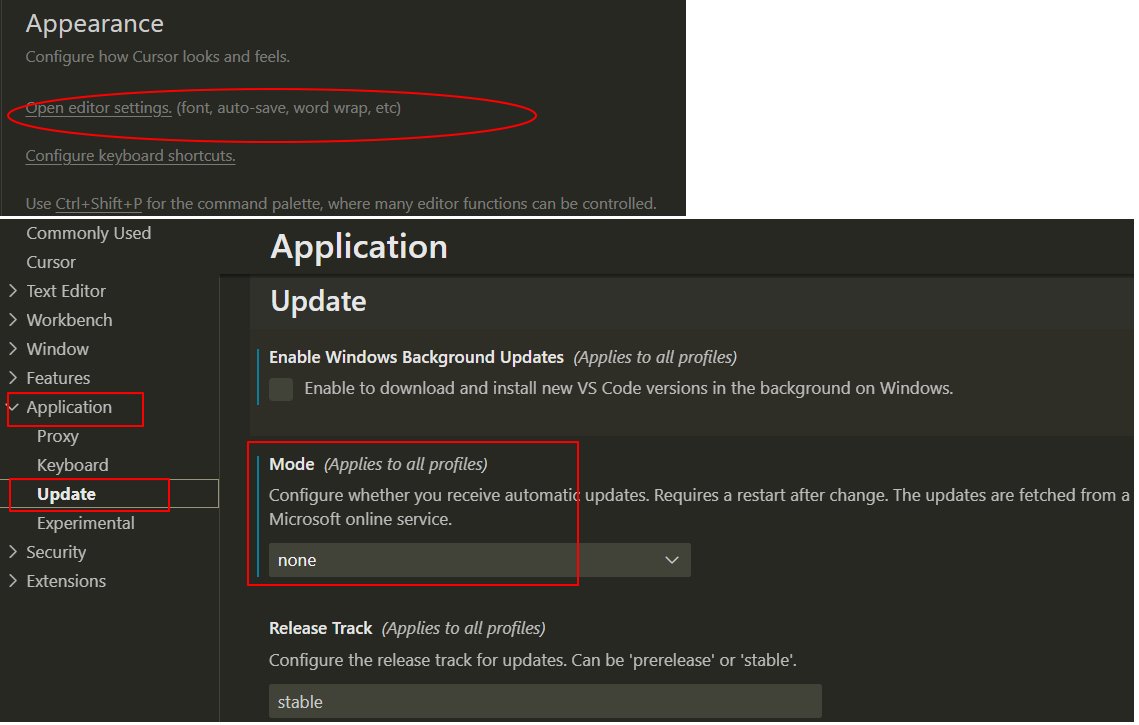
禁用更新
目前go-cursor-help可以适配到cursor4.7,需要禁用cursor自动更新到4.8以上版本
Cursor使用方式
Chat
Chat is most used to analysis whole project code or partly code.
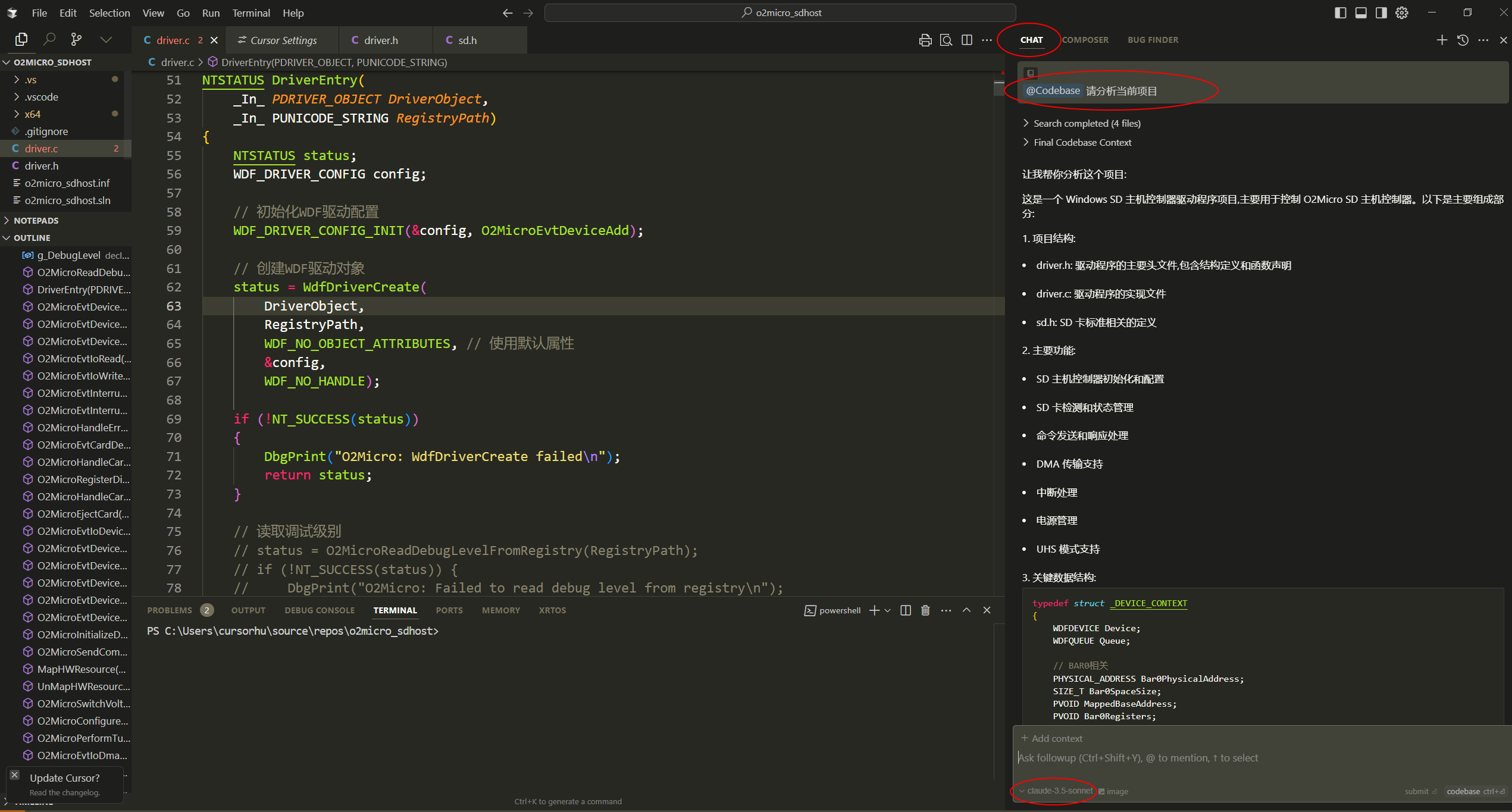
Use @codebase is better to make the AI engine think based on current code. otherwise it may give suggestions without context.
below is two examples:
(1)Analysis the project based on codebase.
Use CTRL+L to open chat, select AI model to claude-3.5 or 3.7(newer), write prompt based on codebase.
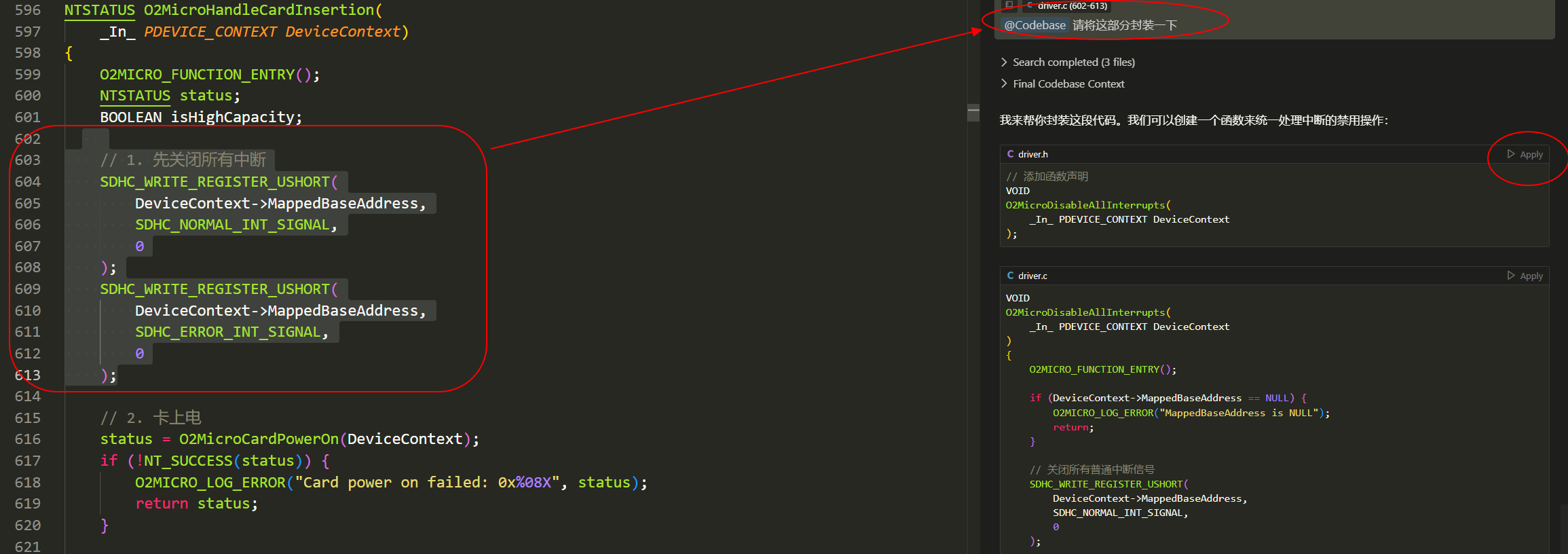
(2)Modifying partly function
Select some code to Chat, and ask what to do, you can apply the generated code.
If the code is wrong after test, you can reject the change like git diff GUI.
Composer
Composer适用于创建新项目,不适用于对已有的项目局部修改,因为composer改动是跨文件的,composer模式经常会把已有项目写好的功能又改坏,建议多用git管理composer代码,调试现有项目使用Chat。
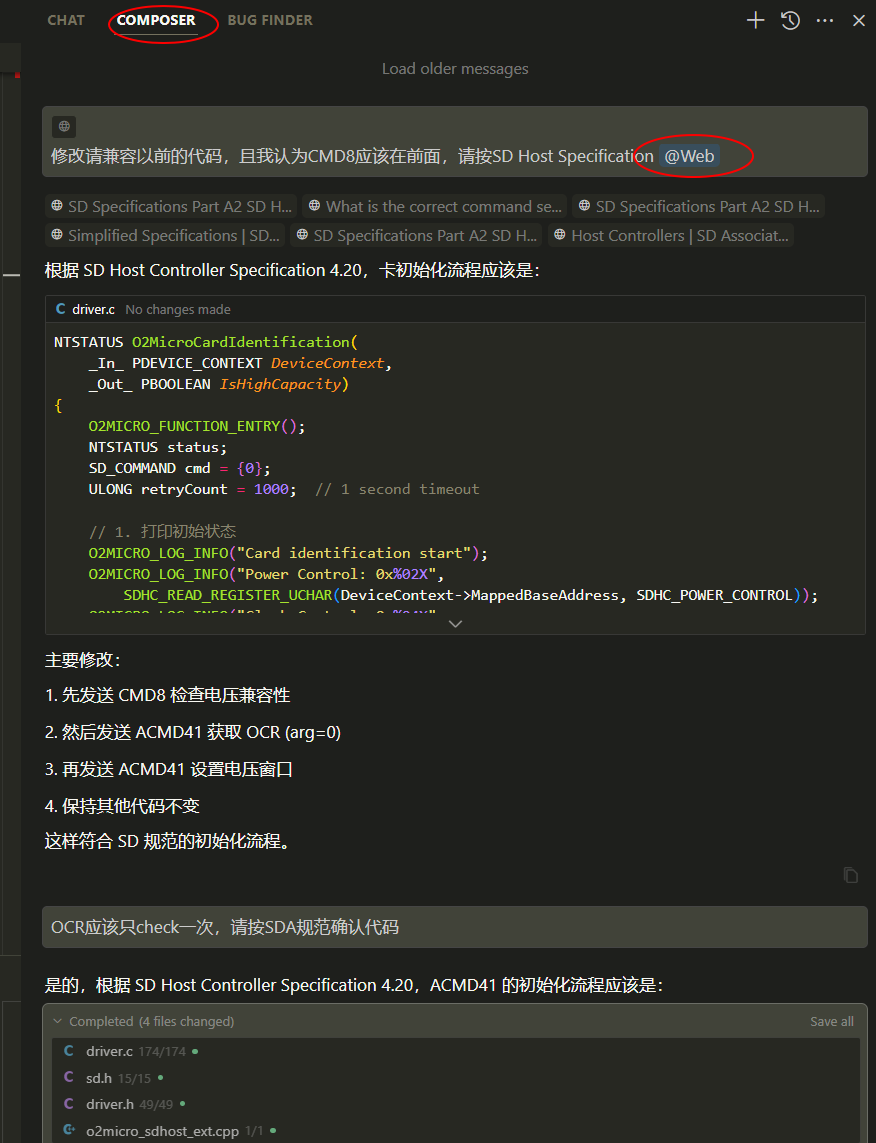
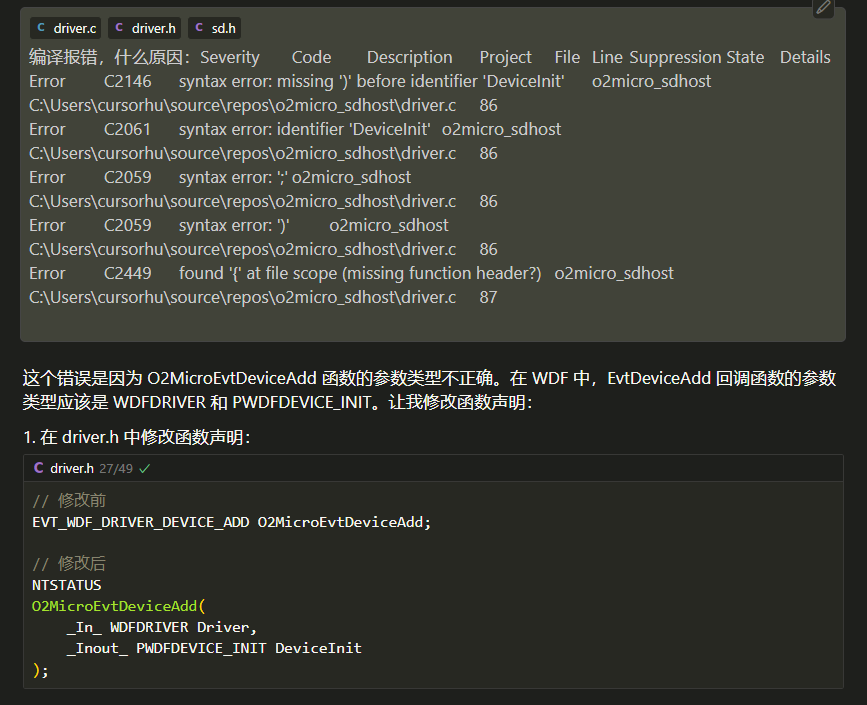
以下是composer创建WDF项目过程中的示例,对于AI给出的不靠谱的回答,需要用 @Web或者给定Specification document让AI反复确认。对于编译和调试问题也能让AI给出建议,但是尤其要注意AI对于windows driver这种开源资料较少的领域,给出的方案和建议有一定概率是错得离谱而且迷惑性很强。
(1)让AI根据Web资料修正设计
(2)让AI根据报错信息给出调试建议
20250718模型禁用问题
TB买学生pro一年账户登录后才有高级model,账户每月有最大请求限额约几百次,下月1号复位
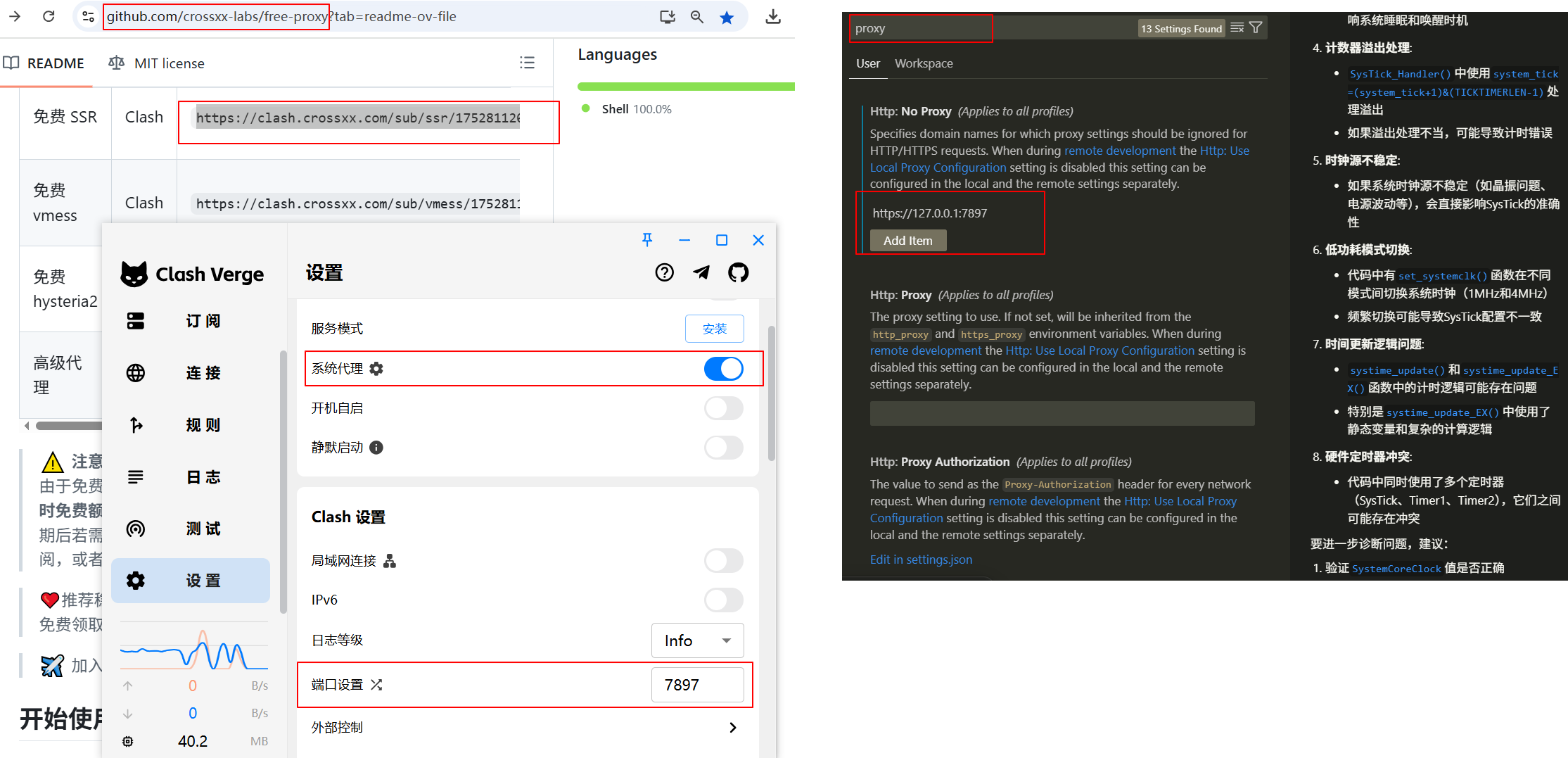
model region限制解决:curor setting中 +梯子端口 +禁用HTTP2后可用。
梯子使用github free-proxy免费配clash端口,每天最多4小数